IoT-related Products NC MachiningAID

- Feature
- Specification
- Standards
- Discontinued
System configuration
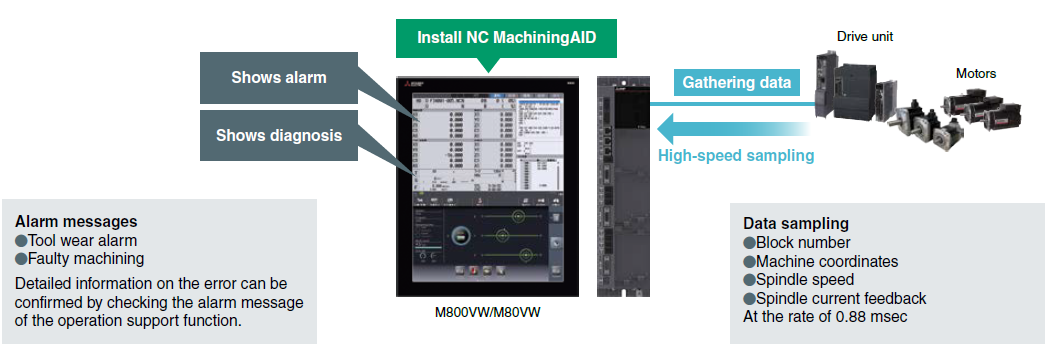
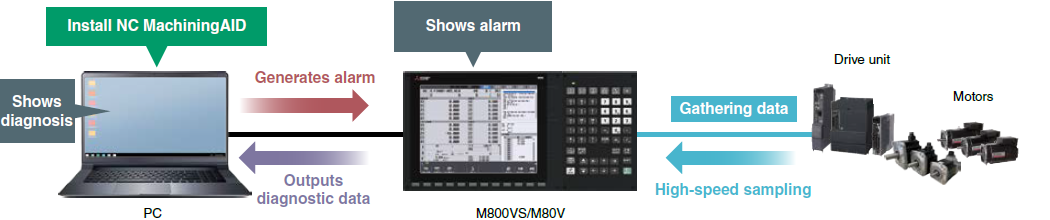
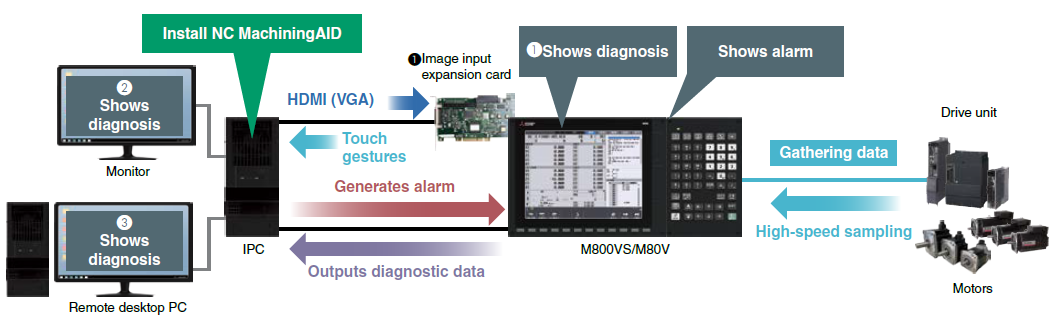
Diagnostic yet Simple Device Configuration! All you need is a PC software!
- Just install a NC MachiningAID software on your Windows PC
(M800VW/M80VW CNC PC unit is also available for the installation) - M800VS/M80V supports adjusting the screen to fit the output device, such as IPC or laptop PC
M800VW/M80VW
M800VS/M80V+PC
M800VS/M80V+IPC
+ (❶Image input expansion card, ❷Monitor, or ❸Remote desktop PC) *1
*1.Select one of ❶, ❷ or ❸ for the display device of the diagnosis screen.
Before You Start
M800VW/M80VW
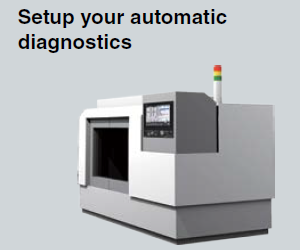
■ Before you start diagnostics
STEP
1
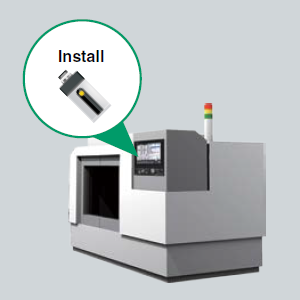
Setup
Install
STEP
2
Before you run diagnosis
Train your machine learning model
• Normal machining process x1
• Air cut x1
• Normal machining process with 5 times of tool change
STEP
3
Start diagnostics
Apply diagnostics to your
production process
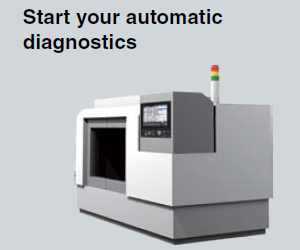
You don't need to be a data scientist or a machining diagnostics specialist.
NC MachiningAID automatically sets up the data it needs to learn.
M800VS/M80V+IPC
■ Before you start diagnostics
STEP
1
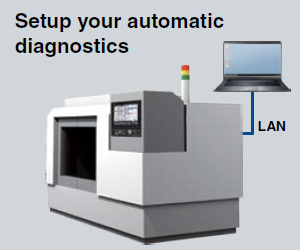
Setup
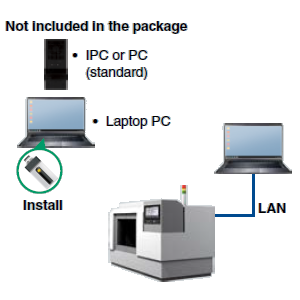
• Install
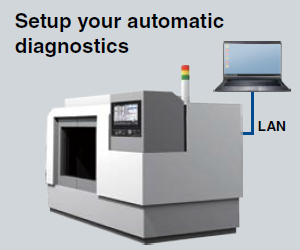
• Connect your PC and CNC on a LAN
STEP
2
Before you run diagnosis
Train your machine learning model
• Normal machining process x1
• Air cut x1
• Normal machining process with 5 times of tool change
STEP
3
Start diagnostics
Apply diagnostics to your production process
You don't need to be a data scientist or a machining diagnostics specialist.
NC MachiningAID automatically sets up the data it needs to learn.
Specification
Operating Environment
| NC MachiningAID | |||
|---|---|---|---|
| M800VW/M80VW | M800VS/M80V | ||
| Operating system requirements | |||
| PC unit | FCU8-PC232 | ● | - |
| Not included in the package - IPC or PC (standard spec) | Intel 🄬 celeron processor 2.4Ghz or higher, Memory 4GB or higher, 6GB or higher | ● | ● |
Applicable CNCs M80V、M80VW、M800VS、M800VW
Coverage and Notice
| Applicable operations | Drilling, Milling, Tapping, Reaming, Lathe turning, Screw cut, Hobbing, Skiving |
|---|---|
| Applicable materials | Titanium, Chromium alloy, Cast iron, Tool steel, Stainless, Aluminum, Alloyed metal, Ceramics |
| Applicable workpiece (parts) | Repetitive mass production running in the same machining program that is determined to be diagnosed (with a constant volume of cuts per a unit time (of each coordinate during the process. For example, ≥30 parts/day of mass production). |
| Other requirements | • Modify your G code program • Activate the Tool Life Management on your CNC |
| NC MachiningAID cannot diagnose the process when | • The current data of the air cut is little different from that of the cutting operation; • The program is used for different types of operations, such as scale removal, different cutting profiles, or different workpiece sizes; • The current output varies with changing feedrate, such as override or automatic control. |
Usage Note
When operating in High-speed High-accuracy Control, when processing a significantly large number of segments, when using CC-Link IE Field Basic, or when using DRC, the data collection and sampling can be restricted to protect the CNC processing from CPU load. Please contact our sales department if you want to use these functions with NC MachiningAID.
Note
● The functions and features described in this document are subject to change without notice.
● The use cases described in this document are examples from our customers; however, Mitsubishi Electric does not guarantee the validity of these applications.