Human-Machine Interfaces (HMIs)-GOT GOT2000 Series

- Feature
- Lineup
- GOT Solutions
- Drive Control Interactive Solutions
- Function List
- Applicable Devices
- Concept Movie
- INDEX
- GOT Web-based Remote Solutions
- Video Interactive Solutions
- GOT Drive Control (Servo) Interactive Solutions
- GOT Drive Control (Inverter) Interactive Solutions
- GOT Drive Control (Robot) Interactive Solutions
- Sophisticated Programmable Controller Interactive Features
- Maintenance, Troubleshooting and Diagnostics Features
- Hardware Features
- Security & Additional System Features
- Data Handling Features
- Interactive Features with Other Industrial Devices
- Search by Function Name
- Support connection with industrial devices Connection samples
- iQSS related samples
- Using sample screens
- Related Link
Interactive Features with Other Industrial Devices
Support connection with industrial devices
Connection samples

The lineup of samples for non-Mitsubishi industrial devices has been expanded! These are sample screens for monitoring current values of connected devices, setting parameters, etc.
Mitsubishi Electric programmable controller
- MELSEC iQ-R Series R08CPU
- MELSEC iQ-F Series FX5U-32MCPU
- MELSEC-L Series L06CPU
- MELSEC-Q Series Q06UDEHCPU
- MELSEC-F Series FX3U-16MCPU
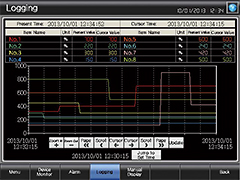
Mitsubishi Electric servo amplifier

For the target models, please refer to the " GOT2000 Drive Control (Servo) Interactive Solutions catalog (L(NA)08335ENG). "
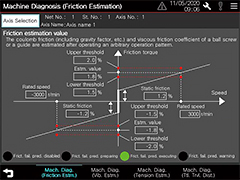
Mitsubishi Electric inverter
For the target models, please refer to the " GOT2000 Drive Control (Inverter) Interactive Solutions "
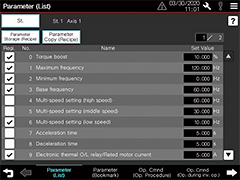
Mitsubishi Electric camera recorder module
- MELSEC iQ-R Series RD81RC96-CA
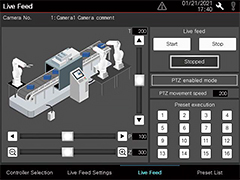
Mitsubishi Electric other devices
- Motion controller
- Simple Motion module
- Industrial robot
- Energy measuring unit EcoMonitorLight/
Electric multi-measuring instrument
etc.
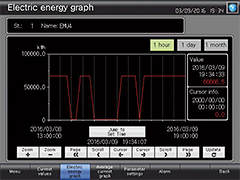
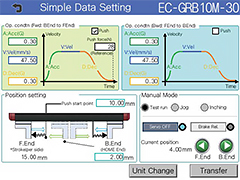
Non-Mitsubishi Electric industrial devices
- Robot controller
- Electric actuator
- Stepping motor
- Network signal tower
- Temperature controller
etc.
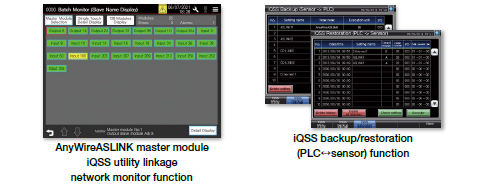
iQSS related samples
These are sample screens to connect to iQSS-compatible devices.
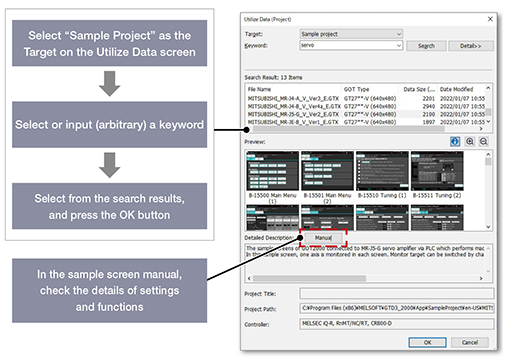
Using sample screens
In the GT Works3 menu, select [Screen] ➝ [Utilize Data].
Specification details and restrictions
●How to obtain sample screens
Sample screens are included in GT Works3. For the details, please contact your local sales office.
●Supported language
English, Japanese, Chinese (Simplified)
Related Link