
Vision Sensor
Configuration tool

Common functions for EasyBuilder/spreadsheet
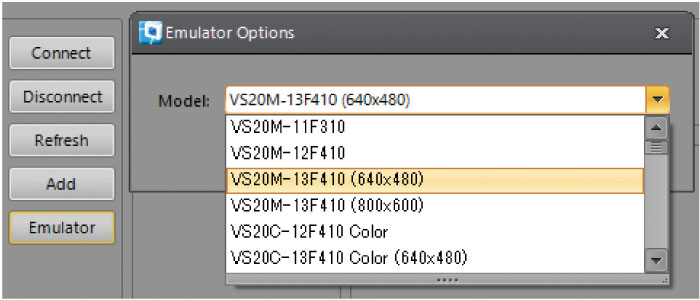
Emulation
Even if a vision sensor is not connected, selecting a vision sensor from the list enables operation check and job creation. If the image of inspection target is available, operation check or job change can be done on the spot.
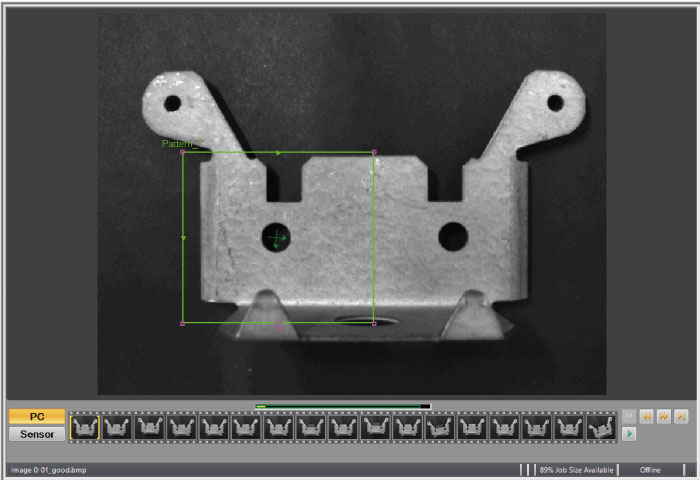
Film strip
Up to 20 images of inspection history can be stored inside the vision sensor, allowing reference anytime without affecting inspection. The images can be stored in the external FTP server also.
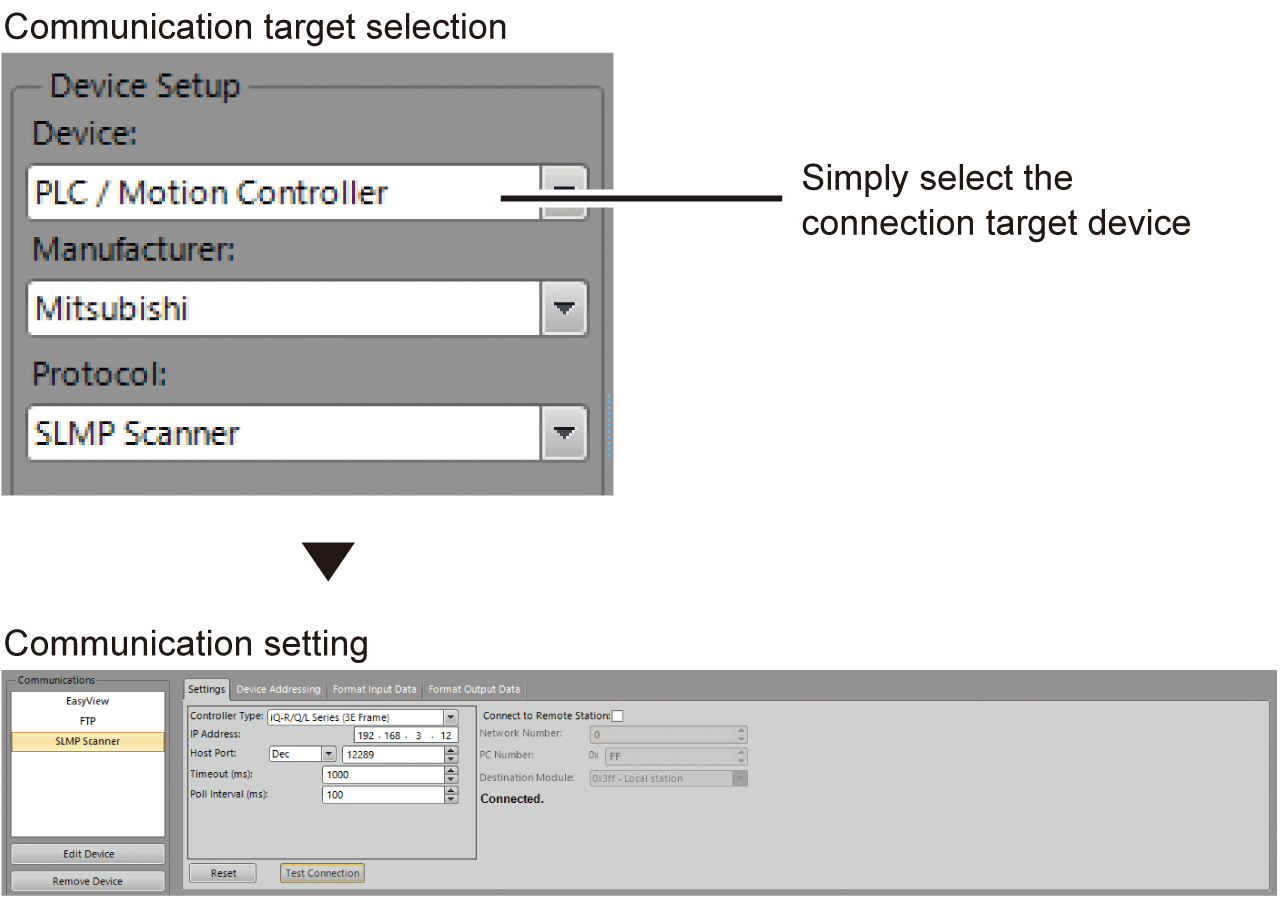
Easy communication setting
Communication with various factory automation products such as programmable controllers, robots, and motion controllers is possible just by selecting a communication target. Communication setting time can be substantially reduced.
Two development environments
In-Sight Explorer includes two development environments "EasyBuilder" and "spreadsheet". Select suitable development environment according to the application to setup.
EasyBuilder
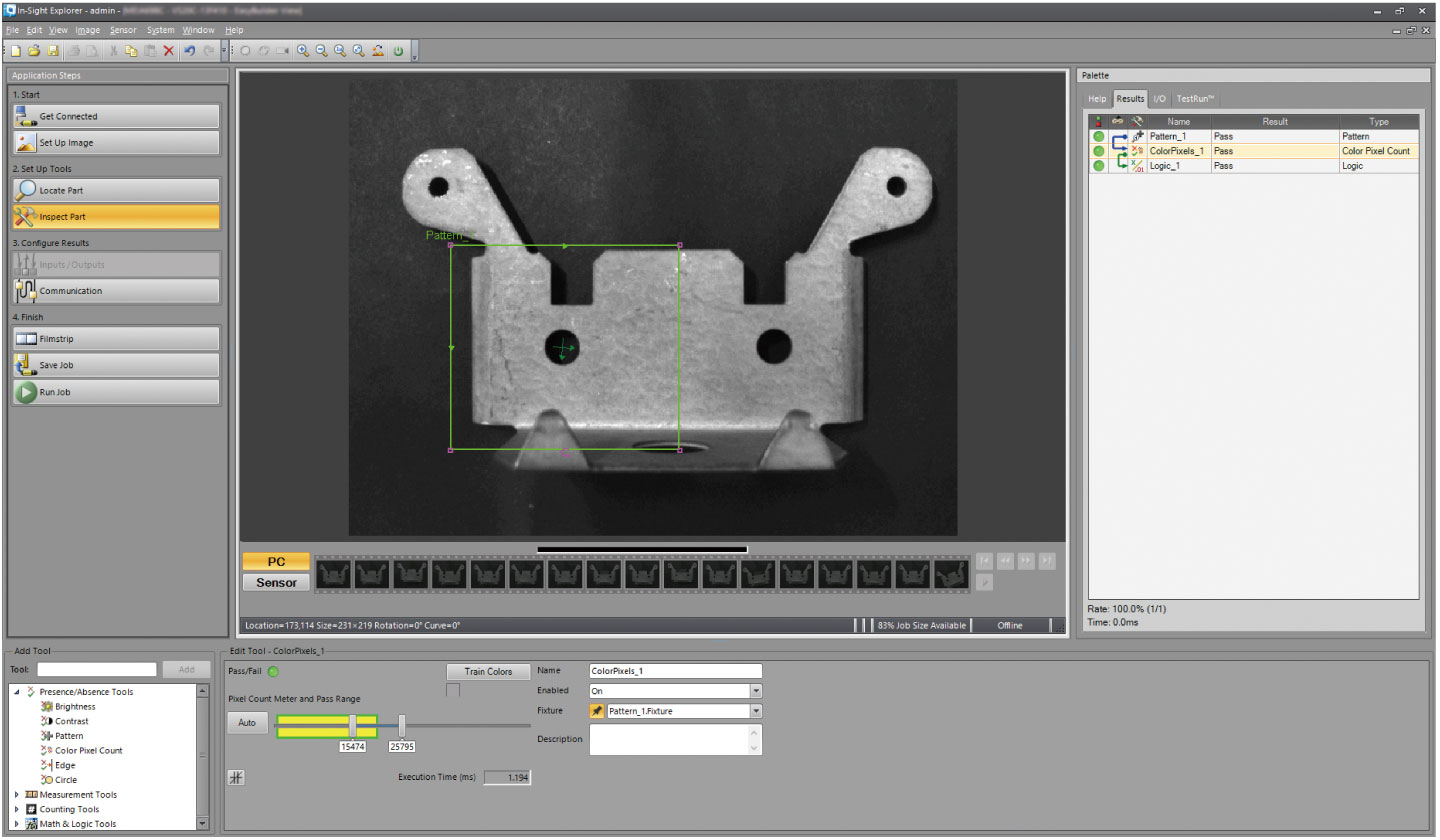
Easy-to use development environment. The vision sensor can be easily setup with four steps, allowing even novice users to configure vision applications easily.
| Item | VS80 | VS70 | VS20 |
|---|---|---|---|
| EasyBuilder | |||
| Location tools | ● | ● | ● *1 |
| Presence/absence tools | ● | ● | ● *1 |
| Measurement tools | ● | ● | ● *1 |
| Counting tools | ● | ● | ● *1 |
| Identification tools | ● | ● | — |
| Geometry tools | ● | ● | — |
| Math & logic tools | ● | ● | — |
| Plot tools | ● | ● | — |
| Image filter tools | ● | ● | — |
| Defect detection tools | ● | ● | — |
| Calibration tools | ● | ● | — |
*1.Some models do not support tools and functions. For further details, please refer to the relevant product manual. Click here for details
Spreadsheet
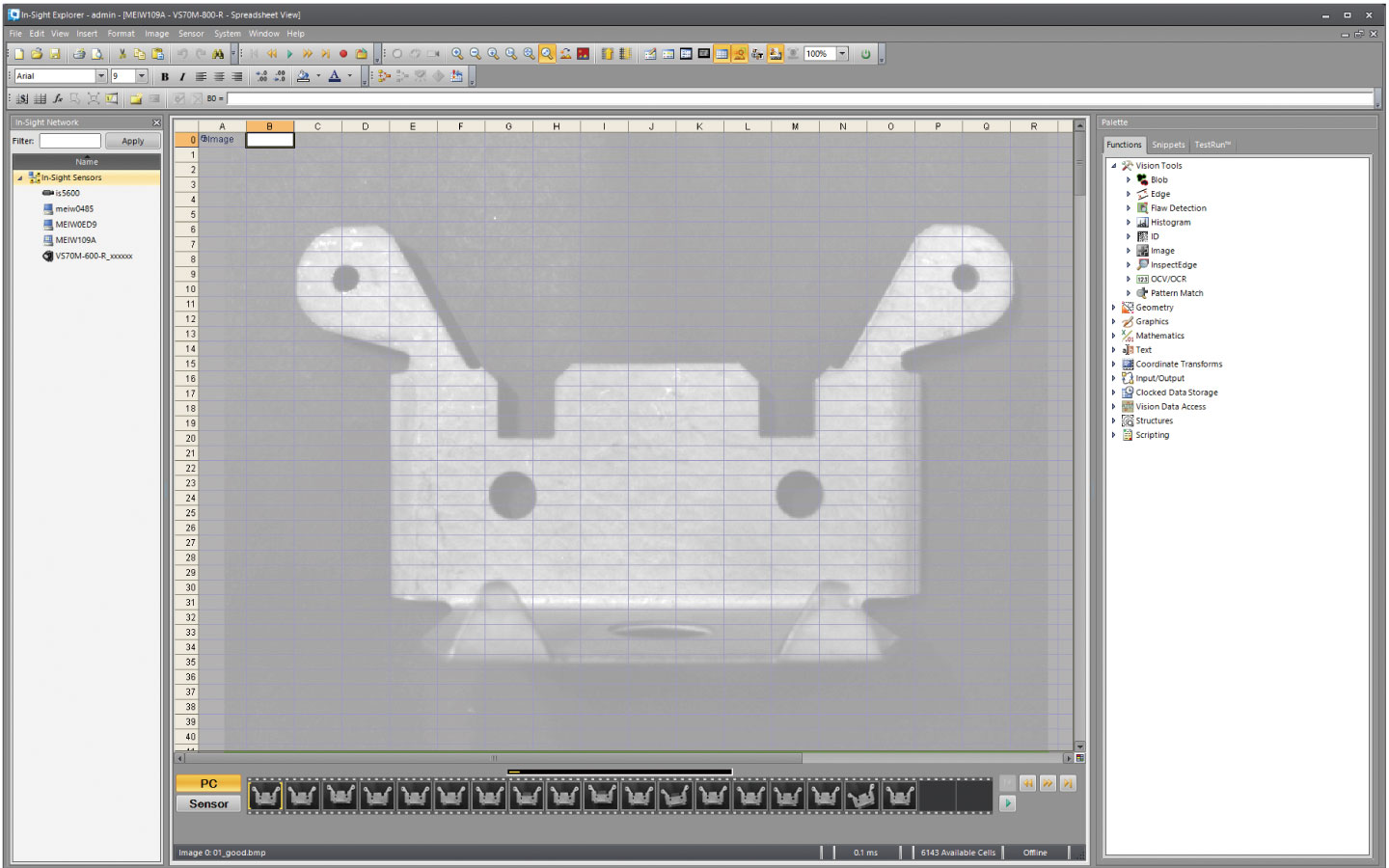
Spreadsheet is a development environment suitable for creating a complex vision application. Vision sensor functions can be maximized with this spreadsheet. By flexibly arranging functions on the spreadsheet, applications can be created.
| Item | VS80 | VS70 | VS20 |
|---|---|---|---|
| Spreadsheet | |||
| Vision tools | ● | ● | — |
| Geometry | ● | ● | — |
| Graphics | ● | ● | — |
| Mathematics | ● | ● | — |
| Text | ● | ● | — |
| Coordinate transforms | ● | ● | — |
| Input/output | ● | ● | — |
| Clocked data storage | ● | ● | — |
| Vision data access | ● | ● | — |
| Structures | ● | ● | — |
| Scripting | ● | ● | — |
EasyBuilder
Quick intuitive setup
The ease-of-use In-Sight Explorer enables configuration from image acquisition to result output in four steps. Both novice and experienced users can handle the tool easily.
Start
- Image acquisition
- Calibration setting
Connect to the vision sensor on the network
Setup tools
- Locate inspection target
- Inspection setting
Can easily use powerful vision tools.
Set results
- Communication protocol between programmable controller and robot
- Data collection setting
of GOT (HMI)
Select sending data by a point-and-click communications setup.
Complete
- Tool graphics
- Result table
- Film strip (image confirmation) setting
Useful for troubleshooting the image processing and identifying bad parts.
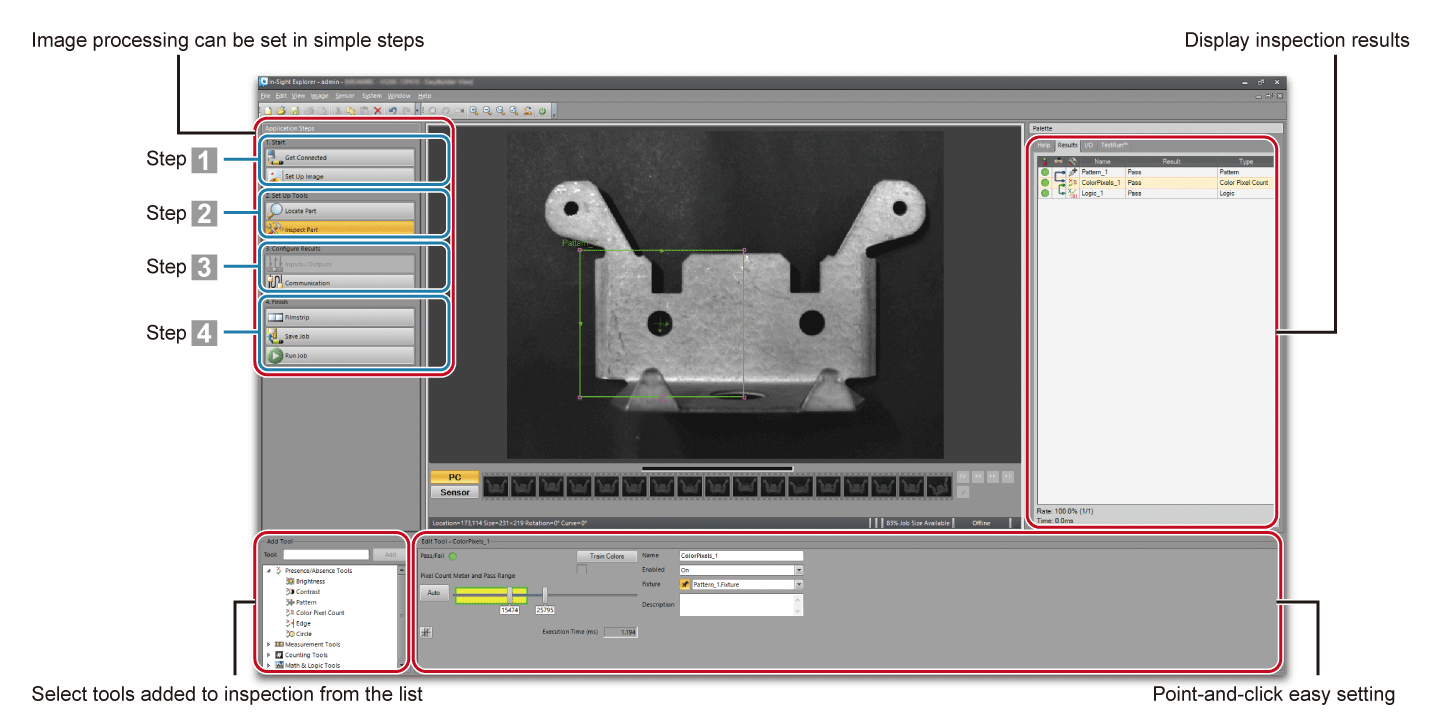
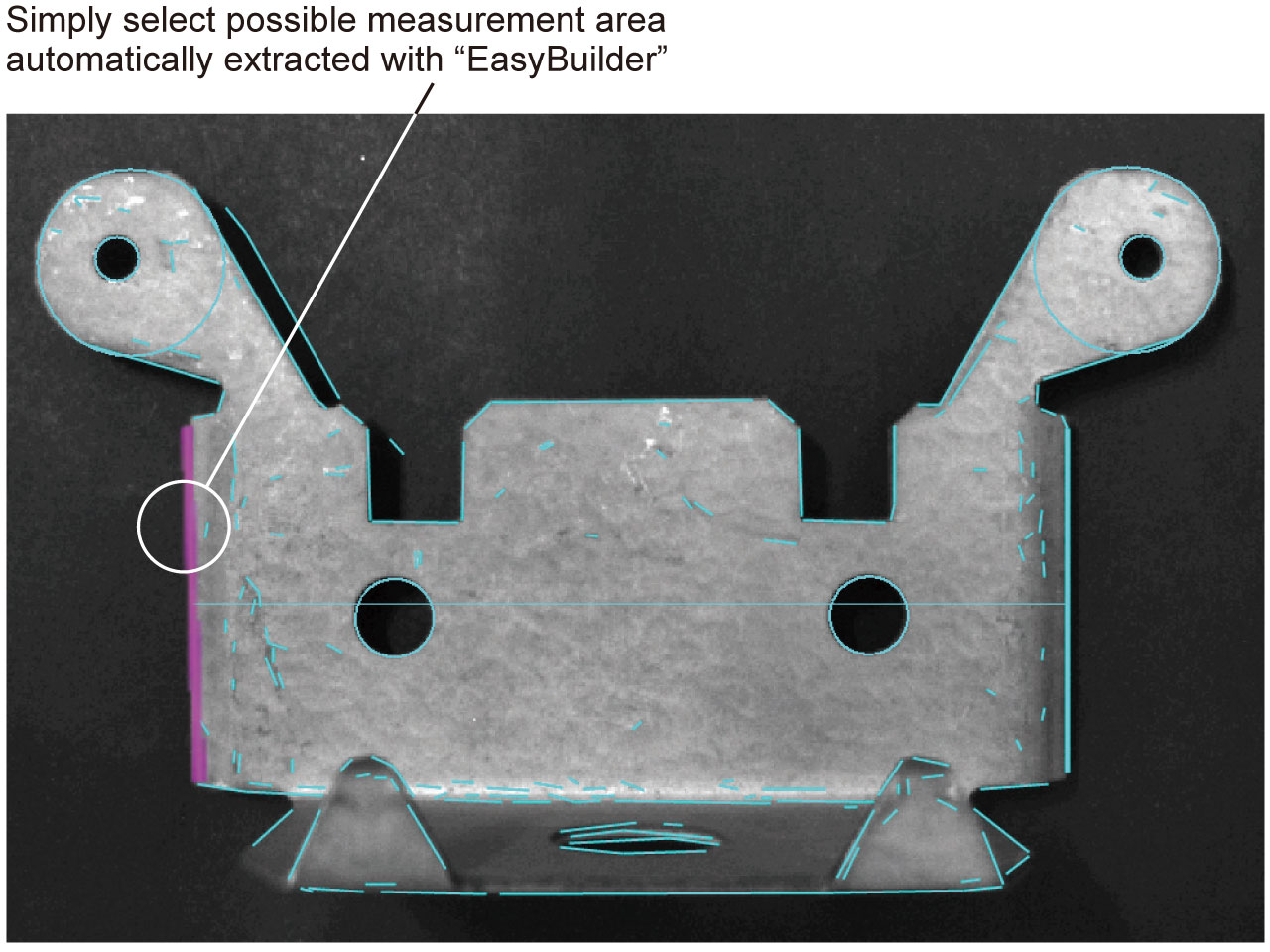
Click to specify measurement area
Image processing can be easily configured with intuitive operation as EasyBuilder *2 automatically extracts possible measurement points.
*2.Environment where image processing is configured by menu selection without a program
Spreadsheet
Complex application data is easily created
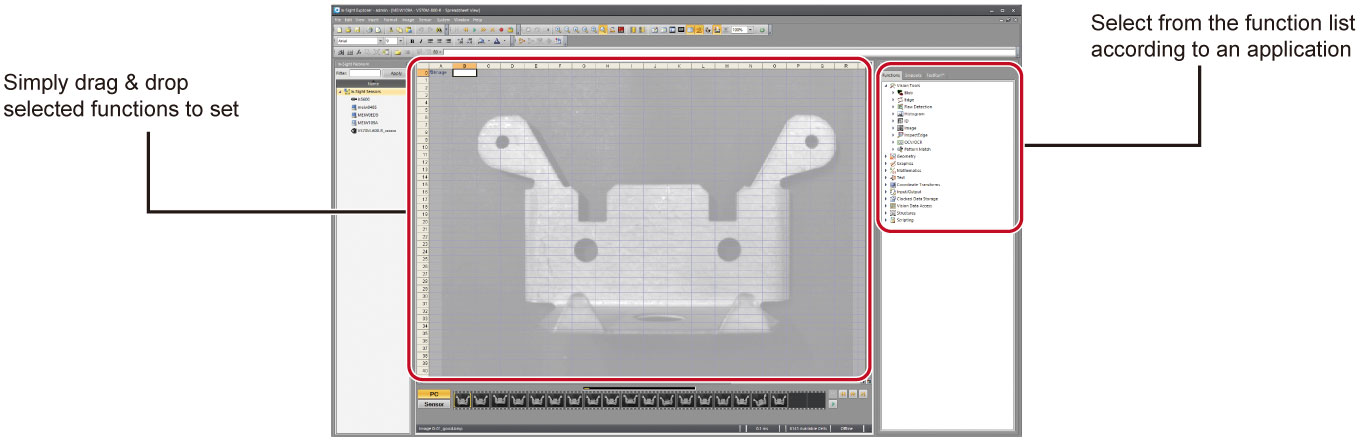
By flexibly arranging functions on the spreadsheet, jobs can be created. This spreadsheet is ideal for configuring complex applications.
Drag & drop to add functions
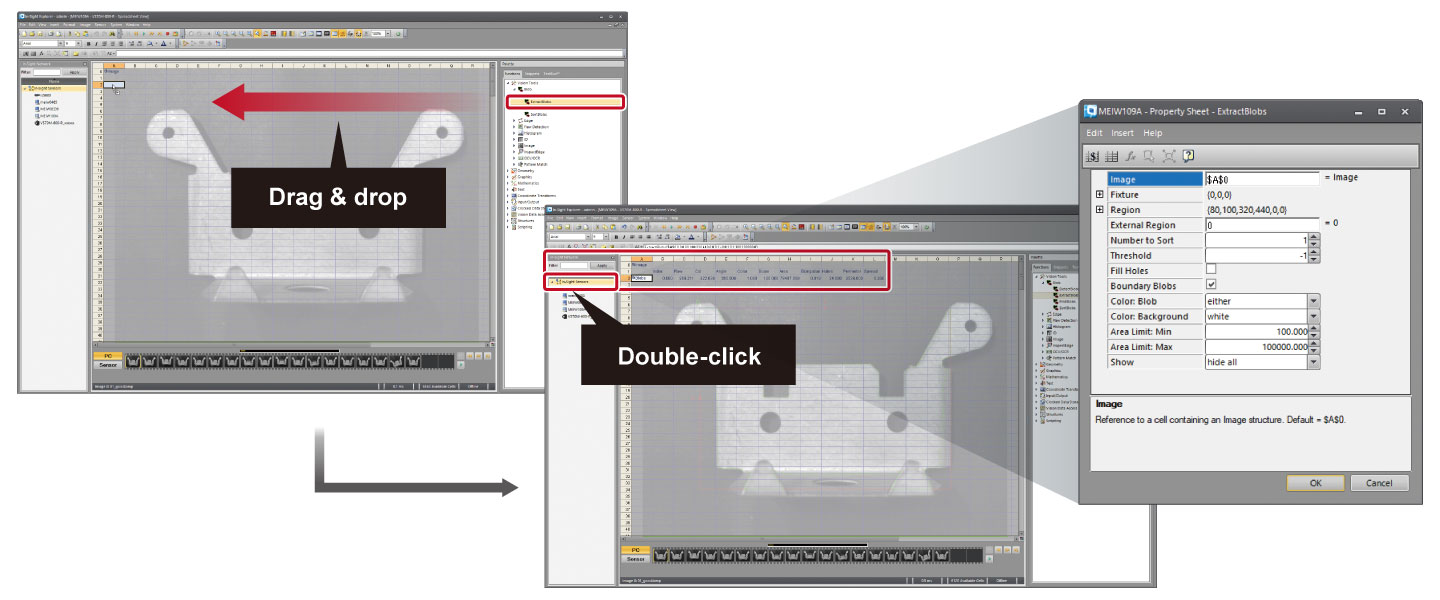
Select a function from the function list on the right, then add it to the area to create a job. After adding functions, parameters can be entered on the property sheet.
SurfaceFX function
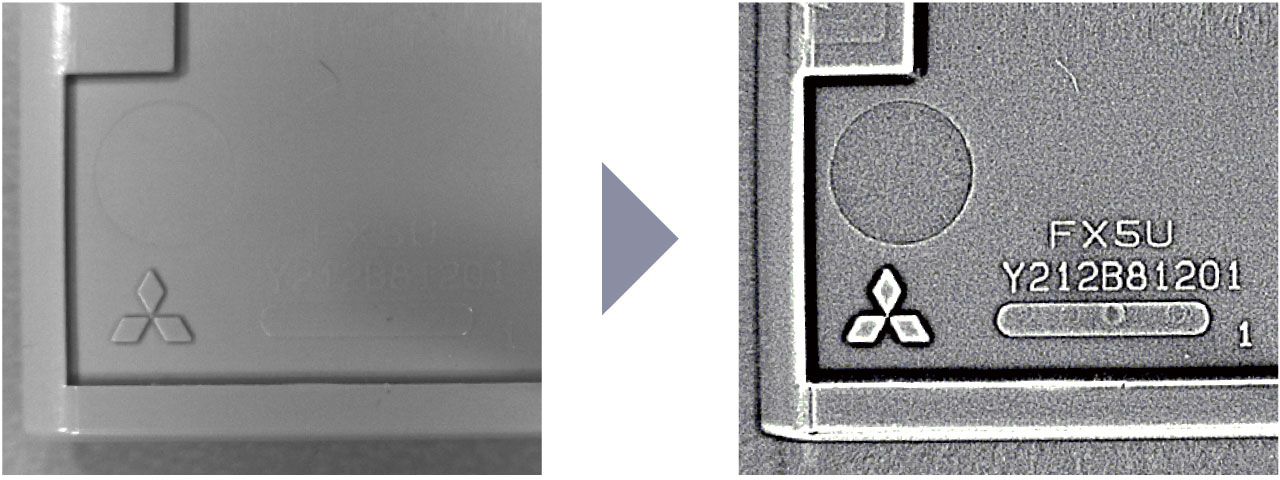
SurfaceFX is one of image filter tools. By capturing four separate images each illuminated by one quadrant of the illuminator, SurfaceFX outputs an image which highlights scratches on the surface and defects that are recessed or embossed. SurfaceFX isolates features that are embossed or scratches on the metal surface hardly found by normal shooting.
Download
Click here to download the In-Sight Explorer (Cognex Corporation) 
* Available for free download