
คุณสมบัติของ Inverters-FREQROL การบำรุงรักษาอุปกรณ์

Trace ฟังก์ชัน
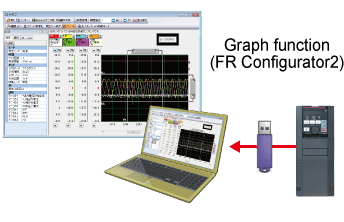
The operating status (output frequency, etc.) immediately before the protection ฟังก์ชัน activates can be stored in the inverter built-in RAM with the trace ฟังก์ชัน.
Stored data (trace data) can be copied to a USB flash drive and imported into
FR Configurator2, facilitating easy trouble analysis at a separate location.
〈Applicable models〉
Clock ฟังก์ชัน
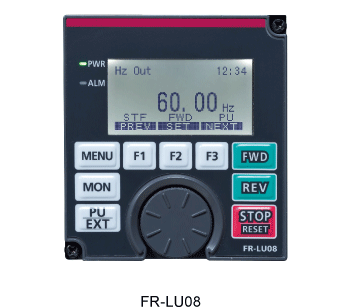
Setting the time with the clock ฟังก์ชัน enables the user to specify the
protective ฟังก์ชัน activation time.
The date and time are also saved with the trace data, making the fault analysis easier.
(The clock is reset at power-OFF. It is not reset if the option FR-LU08 is installed.)
〈Applicable models〉
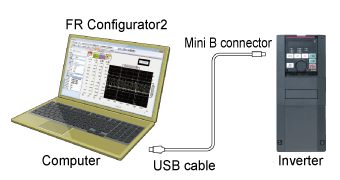
Using FR Configurator2, easy-to-use software assisting anything from setup to maintenance, much more useful ฟังก์ชัน are available for users.

Inverter fault history and fault occurrences are displayed together.
Inverter data is sampled and displayed in a graph.
Trace data can also be displayed in a graph. This allows for log data and abnormalities to be analyzed.
Parts life information read from the inverter is displayed.
A warning icon is displayed in the part life alarm field of the parts recommended for replacement.